<?php

return [

    /*
    |--------------------------------------------------------------------------
    | Default Mailer
    |--------------------------------------------------------------------------
    |
    | This option controls the default mailer that is used to send any email
    | messages sent by your application. Alternative mailers may be setup
    | and used as needed; however, this mailer will be used by default.
    |
    */

    'default' => env('MAIL_MAILER', 'smtp'),

    /*
    |--------------------------------------------------------------------------
    | Mailer Configurations
    |--------------------------------------------------------------------------
    |
    | Here you may configure all of the mailers used by your application plus
    | their respective settings. Several examples have been configured for
    | you and you are free to add your own as your application requires.
    |
    | Laravel supports a variety of mail "transport" drivers to be used while
    | sending an e-mail. You will specify which one you are using for your
    | mailers below. You are free to add additional mailers as required.
    |
    | Supported: "smtp", "sendmail", "mailgun", "ses",
    |            "postmark", "log", "array", "failover"
    |
    */

    'mailers' => [
        'smtp' => [
            'transport' => 'smtp',
            'host' => env('MAIL_HOST', 'smtp.mailgun.org'),
            'port' => env('MAIL_PORT', 587),
            'encryption' => env('MAIL_ENCRYPTION', 'tls'),
            'username' => env('MAIL_USERNAME'),
            'password' => env('MAIL_PASSWORD'),
            'timeout' => null,
            'local_domain' => env('MAIL_EHLO_DOMAIN'),
            'verify_peer'   => false,
        ],

        'ses' => [
            'transport' => 'ses',
        ],

        'mailgun' => [
            'transport' => 'mailgun',
        ],

        'postmark' => [
            'transport' => 'postmark',
        ],

        'sendmail' => [
            'transport' => 'sendmail',
            'path' => env('MAIL_SENDMAIL_PATH', '/usr/sbin/sendmail -bs -i'),
        ],

        'log' => [
            'transport' => 'log',
            'channel' => env('MAIL_LOG_CHANNEL'),
        ],

        'array' => [
            'transport' => 'array',
        ],

        'failover' => [
            'transport' => 'failover',
            'mailers' => [
                'smtp',
                'log',
            ],
        ],
    ],

    /*
    |--------------------------------------------------------------------------
    | Global "From" Address
    |--------------------------------------------------------------------------
    |
    | You may wish for all e-mails sent by your application to be sent from
    | the same address. Here, you may specify a name and address that is
    | used globally for all e-mails that are sent by your application.
    |
    */

    'from' => [
        'address' => env('MAIL_FROM_ADDRESS', 'hello@example.com'),
        'name' => env('MAIL_FROM_NAME', 'Example'),
    ],

    /*
    |--------------------------------------------------------------------------
    | Markdown Mail Settings
    |--------------------------------------------------------------------------
    |
    | If you are using Markdown based email rendering, you may configure your
    | theme and component paths here, allowing you to customize the design
    | of the emails. Or, you may simply stick with the Laravel defaults!
    |
    */

    'markdown' => [
        'theme' => 'default',

        'paths' => [
            resource_path('views/vendor/mail'),
        ],
    ],

];
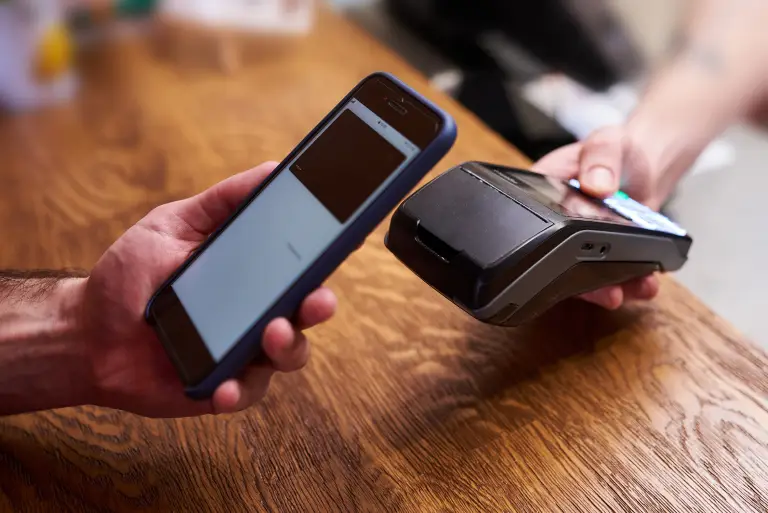
Simple Steps to Complete Your Payment Securely and Efficiently
Making a payment on our website is quick and secure. Start by logging in or creating an account. Select your preferred payment method, input the required details, and review the information. Once you confirm everything is correct, click on the "Submit Payment" button. You’ll receive instant confirmation and can track your payment status through your account dashboard. It’s an easy and secure process.
Go to the Payment Section: Access the payment area on our website or app.
Choose Your Payment Method: Select your preferred payment option.
Enter Payment Details: Provide the necessary payment information.
Verify Your Information: Check that all details are correct.
Confirm Your Payment: Click "Submit Payment" to complete the transaction.
In the digital age, privacy concerns have become increasingly paramount, prompting the European Union to enact the General Data Protection Regulation (GDPR) in 2018. Among its many provisions, GDPR sets strict guidelines for the collection and processing of personal data, including the use of cookies on websites. Privacy Policy