
/home/kueuepay/public_html/resources/js/bootstrap.js
import _ from 'lodash';
window._ = _;

import 'bootstrap';

/**
 * We'll load the axios HTTP library which allows us to easily issue requests
 * to our Laravel back-end. This library automatically handles sending the
 * CSRF token as a header based on the value of the "XSRF" token cookie.
 */

import axios from 'axios';
window.axios = axios;

window.axios.defaults.headers.common['X-Requested-With'] = 'XMLHttpRequest';

/**
 * Echo exposes an expressive API for subscribing to channels and listening
 * for events that are broadcast by Laravel. Echo and event broadcasting
 * allows your team to easily build robust real-time web applications.
 */

// import Echo from 'laravel-echo';

// import Pusher from 'pusher-js';
// window.Pusher = Pusher;

// window.Echo = new Echo({
//     broadcaster: 'pusher',
//     key: import.meta.env.VITE_PUSHER_APP_KEY,
//     wsHost: import.meta.env.VITE_PUSHER_HOST ?? `ws-${import.meta.env.VITE_PUSHER_APP_CLUSTER}.pusher.com`,
//     wsPort: import.meta.env.VITE_PUSHER_PORT ?? 80,
//     wssPort: import.meta.env.VITE_PUSHER_PORT ?? 443,
//     forceTLS: (import.meta.env.VITE_PUSHER_SCHEME ?? 'https') === 'https',
//     enabledTransports: ['ws', 'wss'],
// });
Payment System
top

Simple Steps to Complete Your Payment Securely and Efficiently

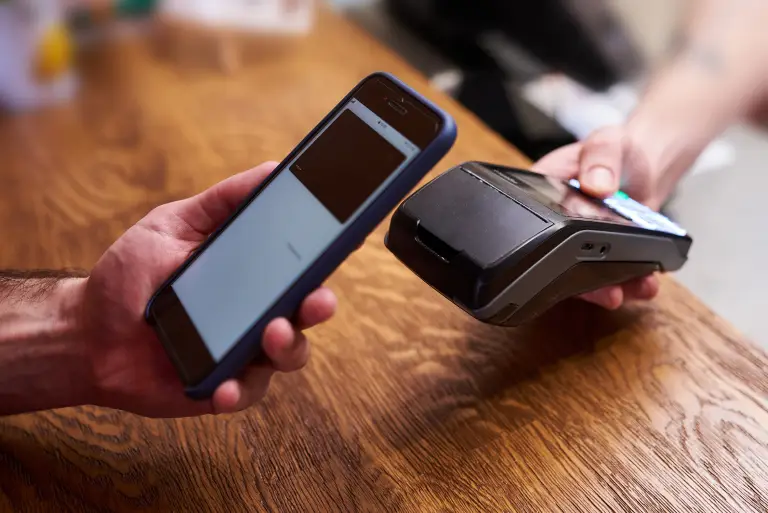
Making a payment on our website is quick and secure. Start by logging in or creating an account. Select your preferred payment method, input the required details, and review the information. Once you confirm everything is correct, click on the "Submit Payment" button. You’ll receive instant confirmation and can track your payment status through your account dashboard. It’s an easy and secure process.

  • Go to the Payment Section: Access the payment area on our website or app.
  • Choose Your Payment Method: Select your preferred payment option.
  • Enter Payment Details: Provide the necessary payment information.
  • Verify Your Information: Check that all details are correct.
  • Confirm Your Payment: Click "Submit Payment" to complete the transaction.
img